Delete account
Use this to permanently delete your account.
⚠️ This action will permanently delete your account and all your data.
In the Alarmify app:
-
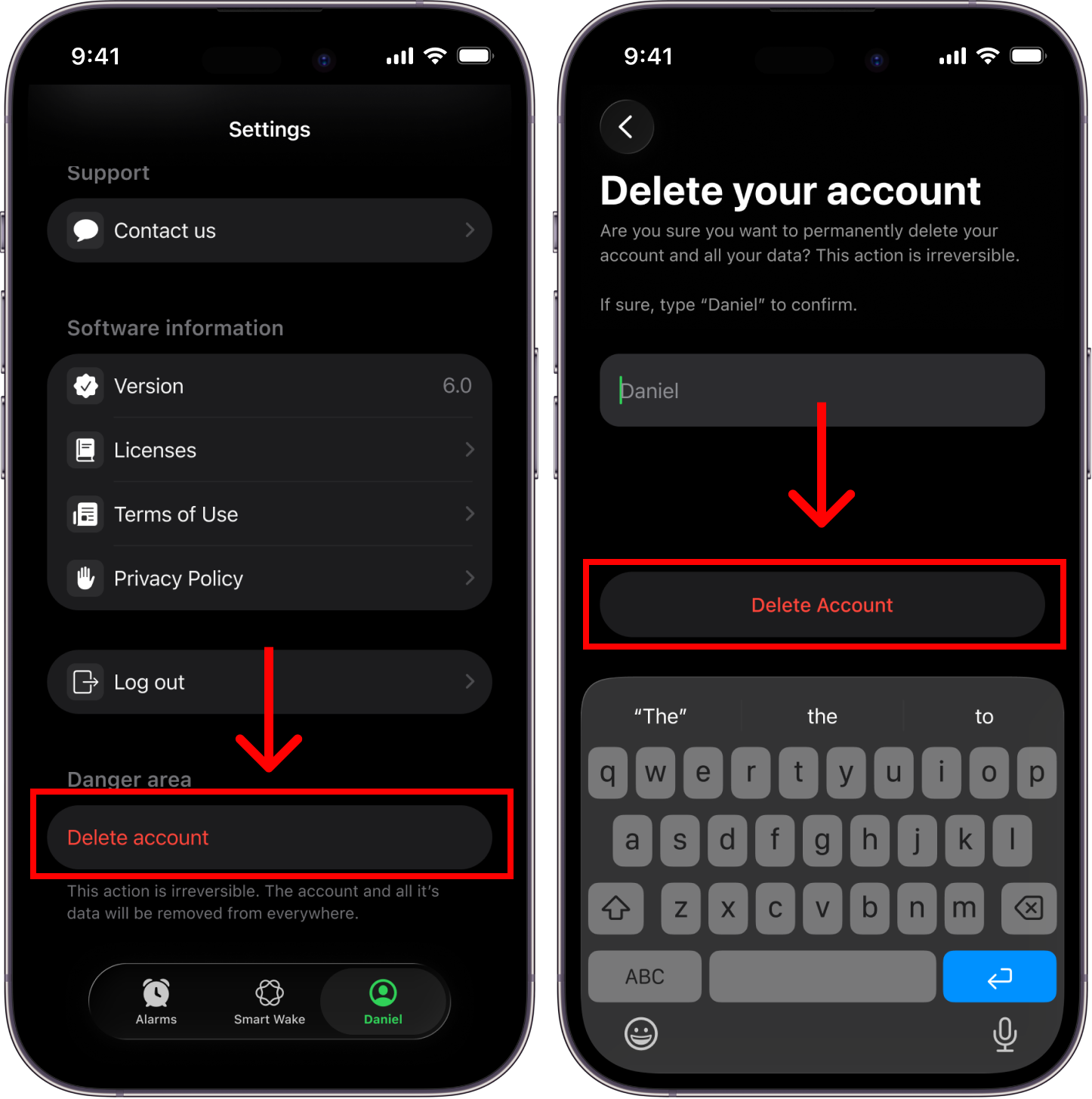
Open the tab with your name (bottom right).
-
Scroll down to Danger area and tap Delete Account.
-
Type the name shown to confirm and tap Delete Account.
Deleting your account does not cancel an Alarmify+ subscription, because Apple manages billing. If you are subscribed, cancel your subscription first.