Restore subscription
Use this if you already pay for Alarmify but the app shows you as Free (after reinstalling, switching devices, etc).
In the Alarmify app:
-
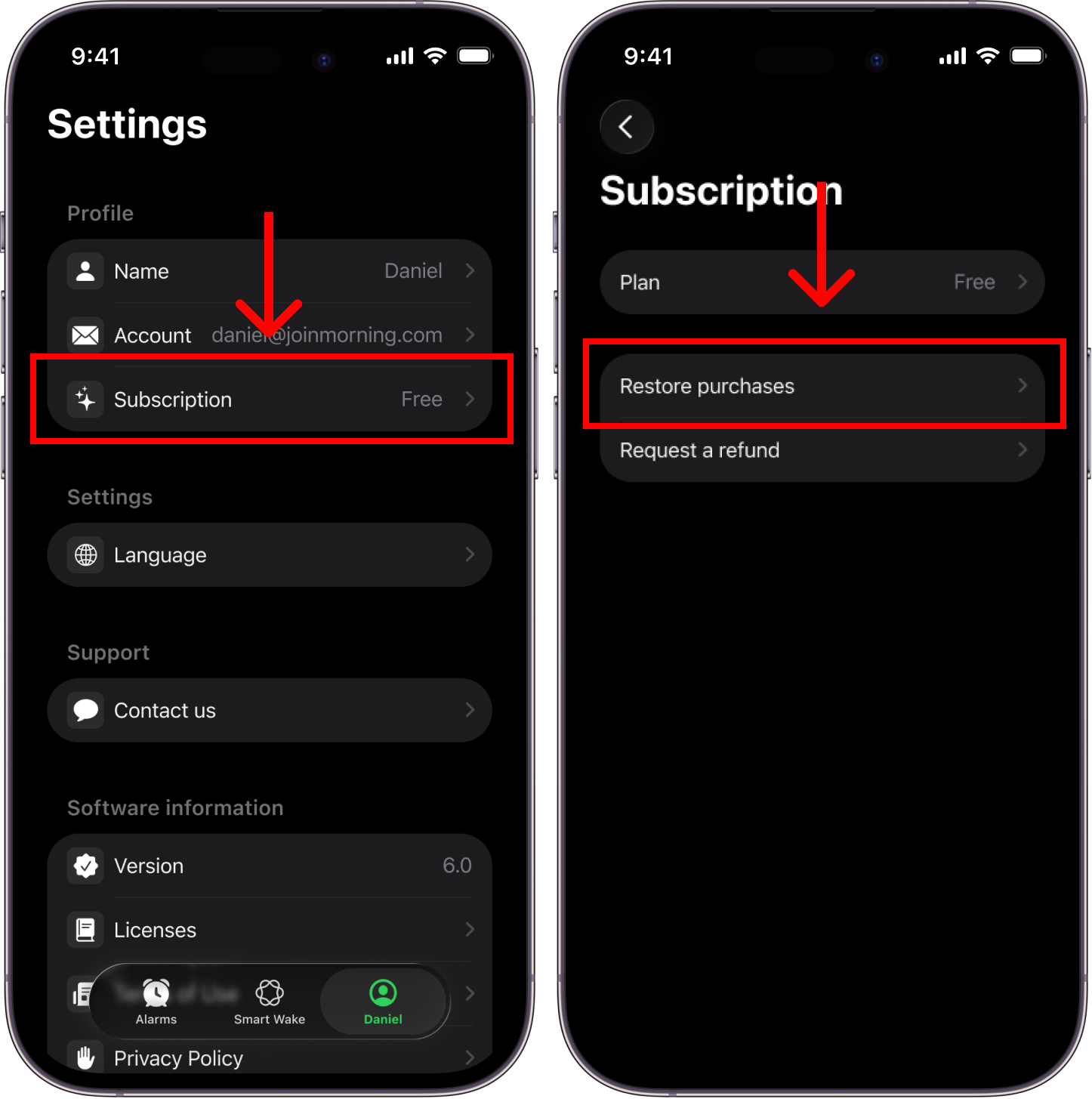
Open the tab with your name (bottom right)
-
Tap Subscription
-
Tap Restore purchases
Alarmify will detect and restore any active subscription on your account. If it doesn’t, confirm you’re signed in with the correct account/method (Apple, Spotify, or email).
If it still doesn’t restore, contact us.