Adjust volume
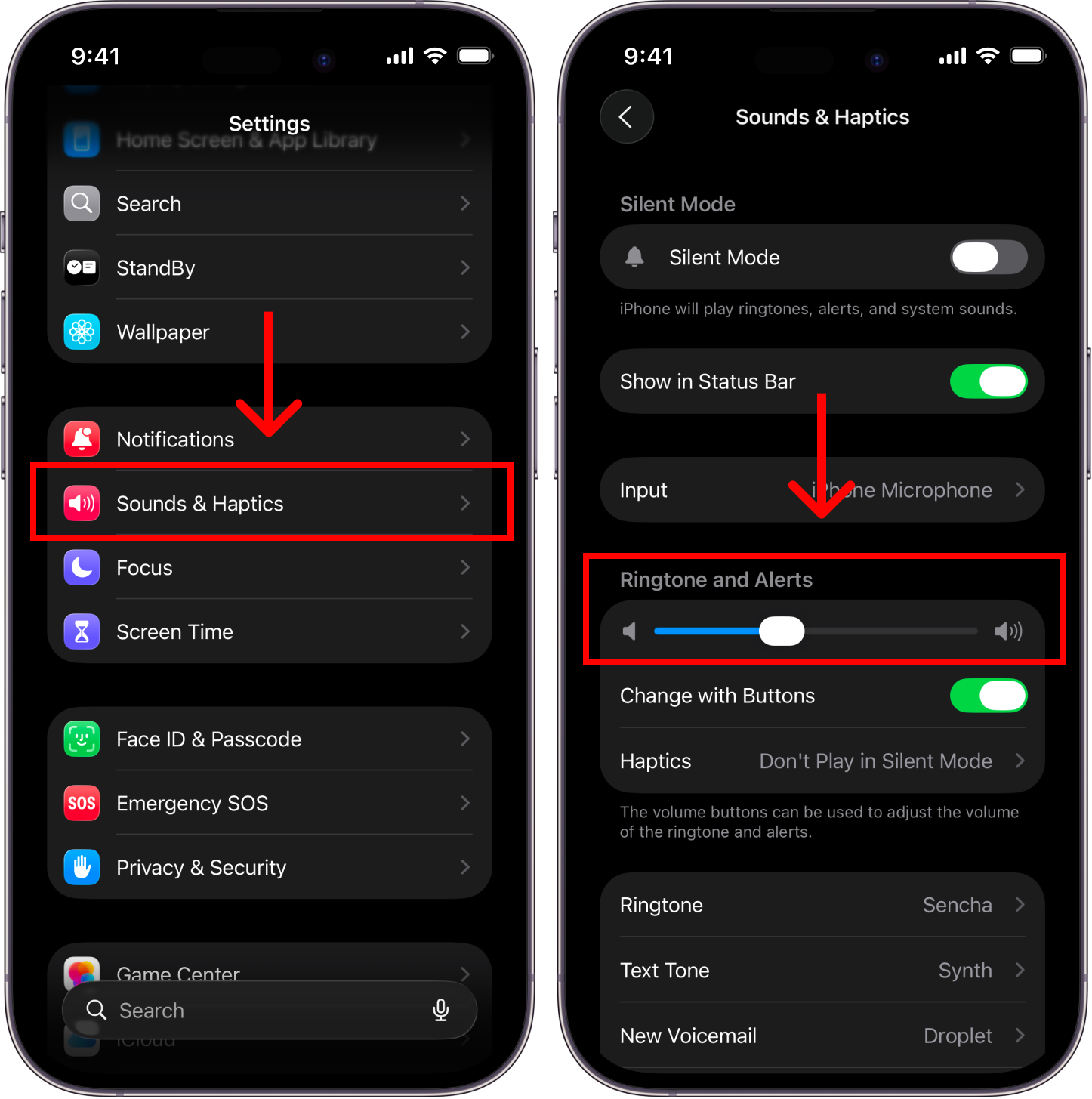
To change your alarm volume, go to Settings > Sounds & Haptics and *move the slider* to set how loud your alarms will be.
Do it faster with a shortcut
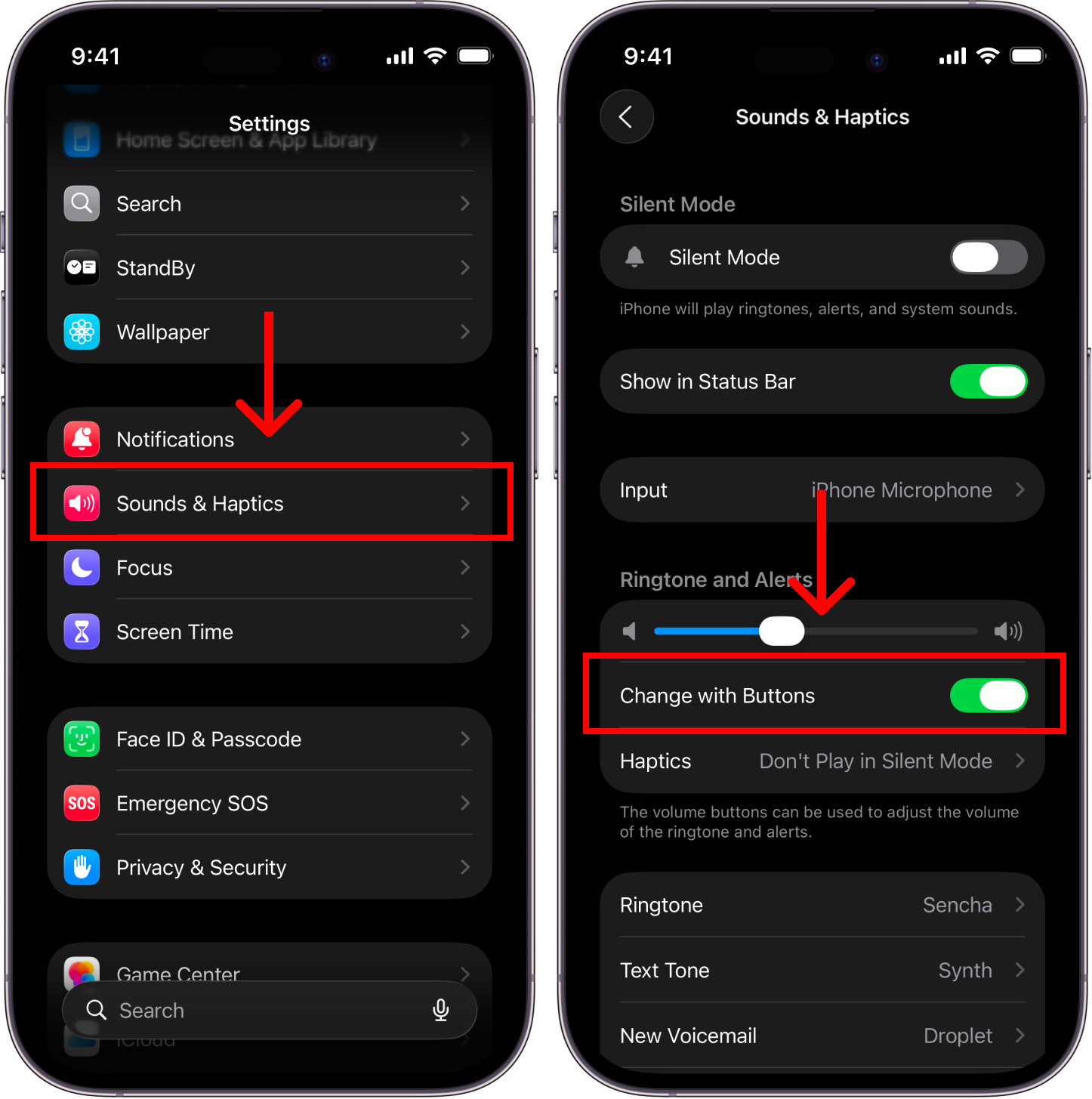
Go to Settings > Sounds & Haptics (same screen as before) and turn ONChange with Buttonsoption.
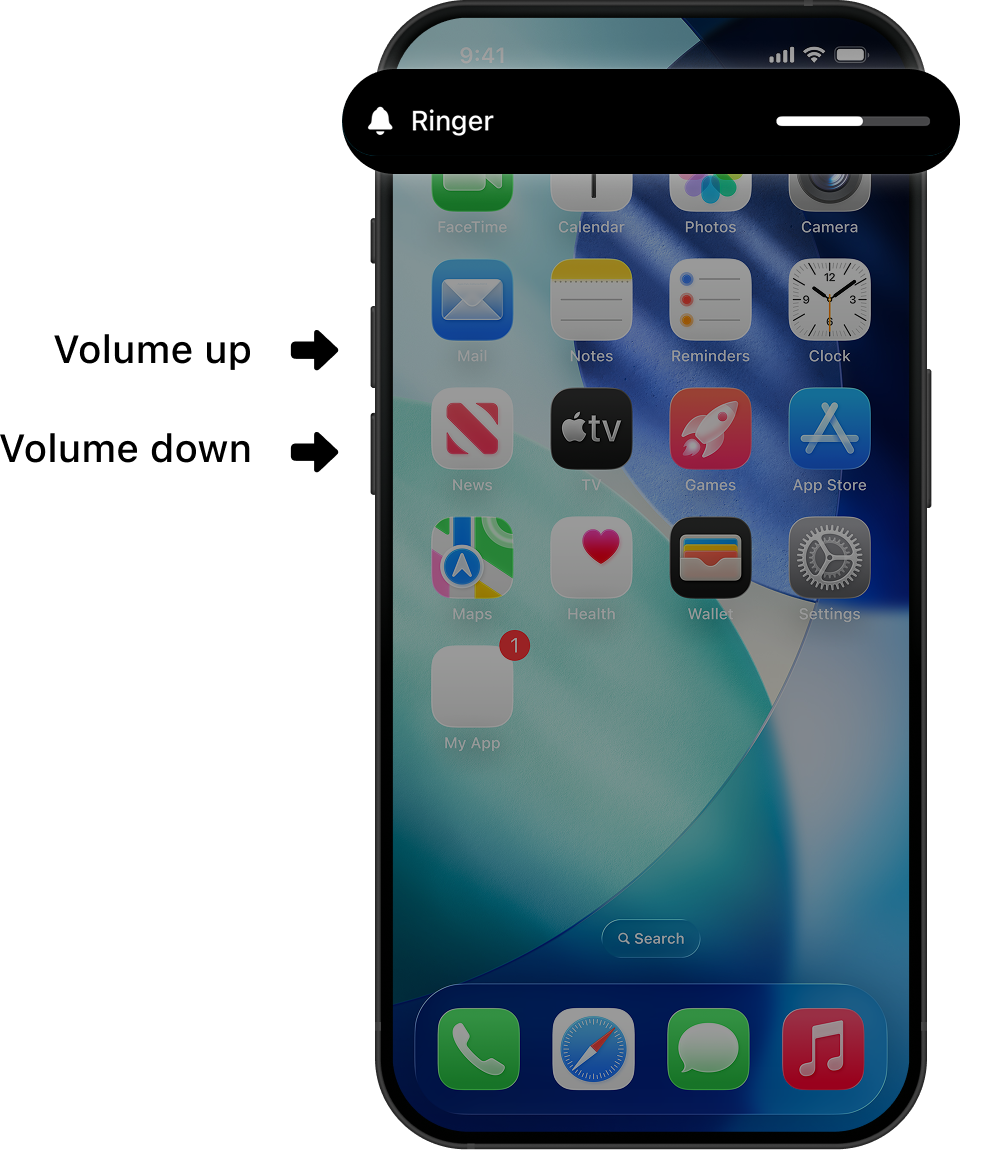
Then, use the side buttons to change your alarm volume.
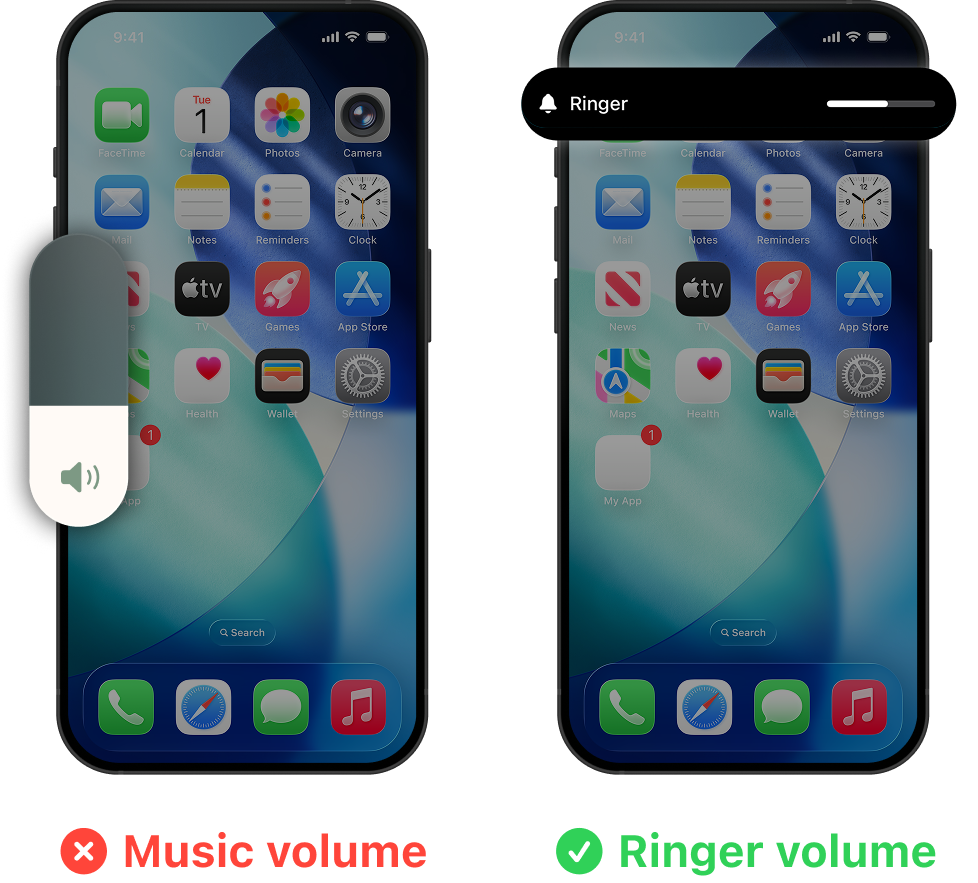
When using the side volume buttons, if you only see the music slider (left image), you’re changing music volume, not the alarm. Make sure the on-screen label says Ringer.