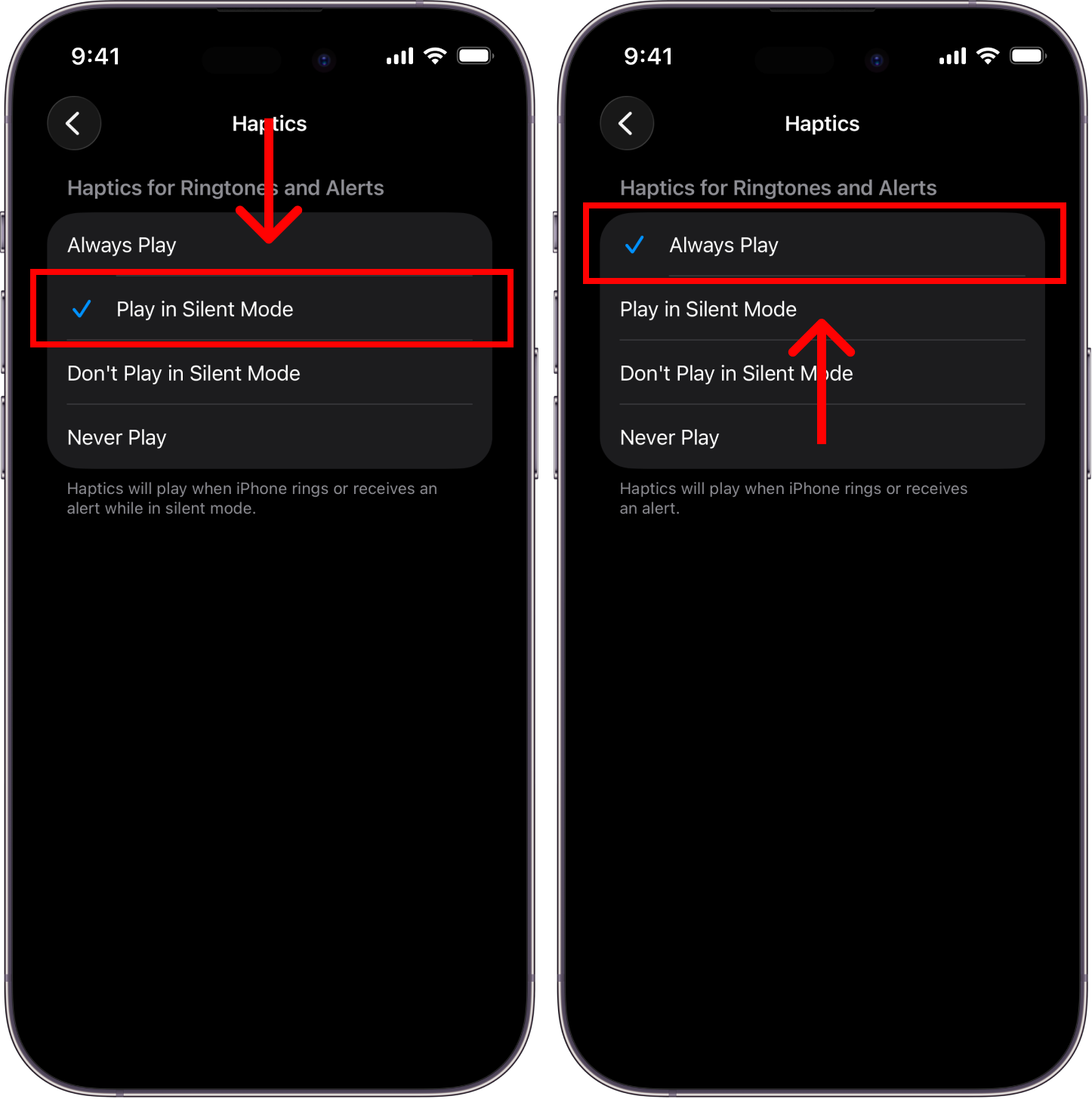
Adjust vibration
Because of iOS limitations, vibration can’t be adjusted directly in Alarmify. Instead, you’ll need to turn on/off haptics from your iPhone Settings.
Turn off alarm vibration
Set this up if you don’t want your alarms to vibrate in the morning.
Step 1: Go to Settings > Sounds & Haptics > Haptics.
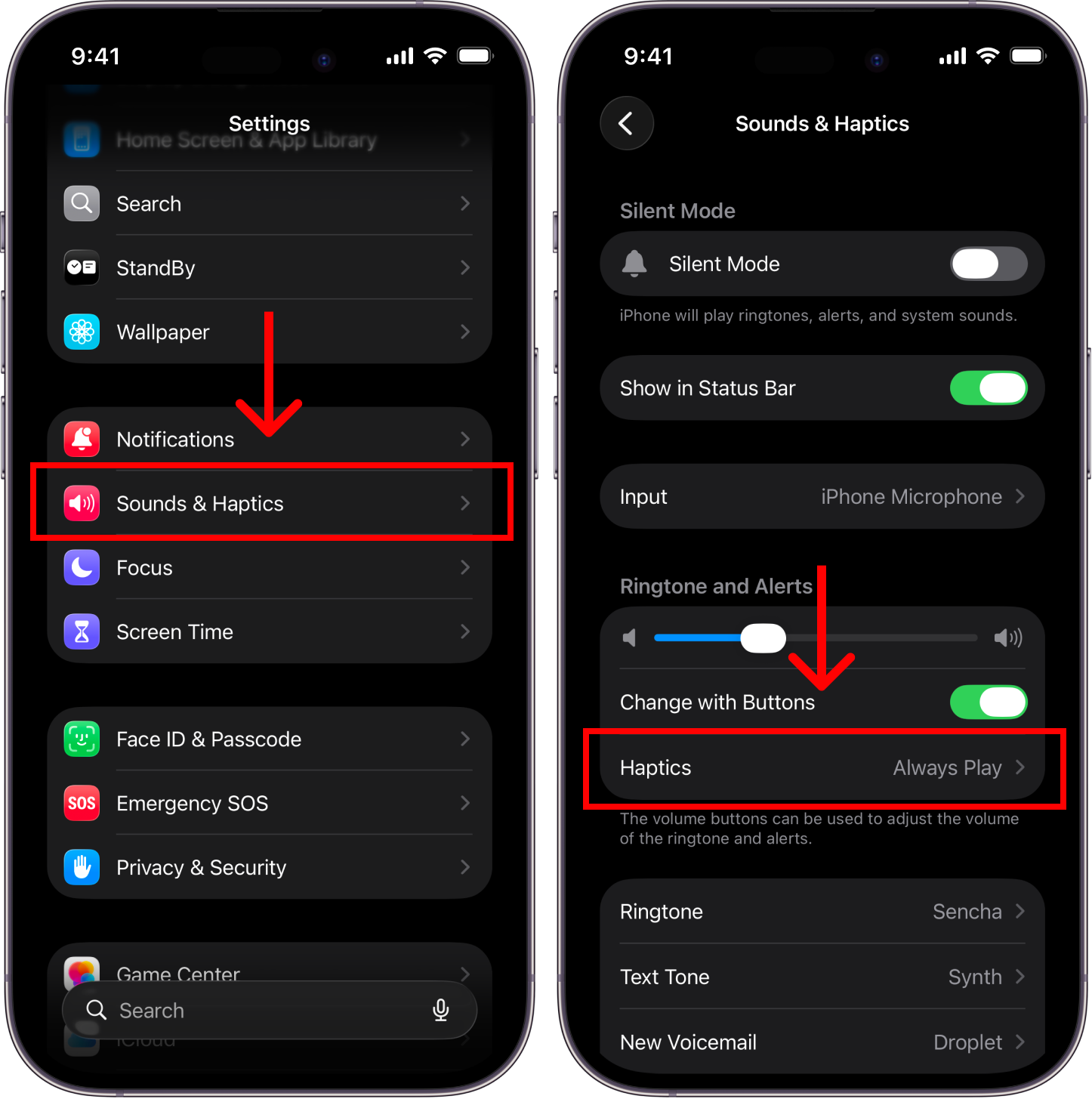
Step 2: Choose either Don't play in silent mode or Never play.
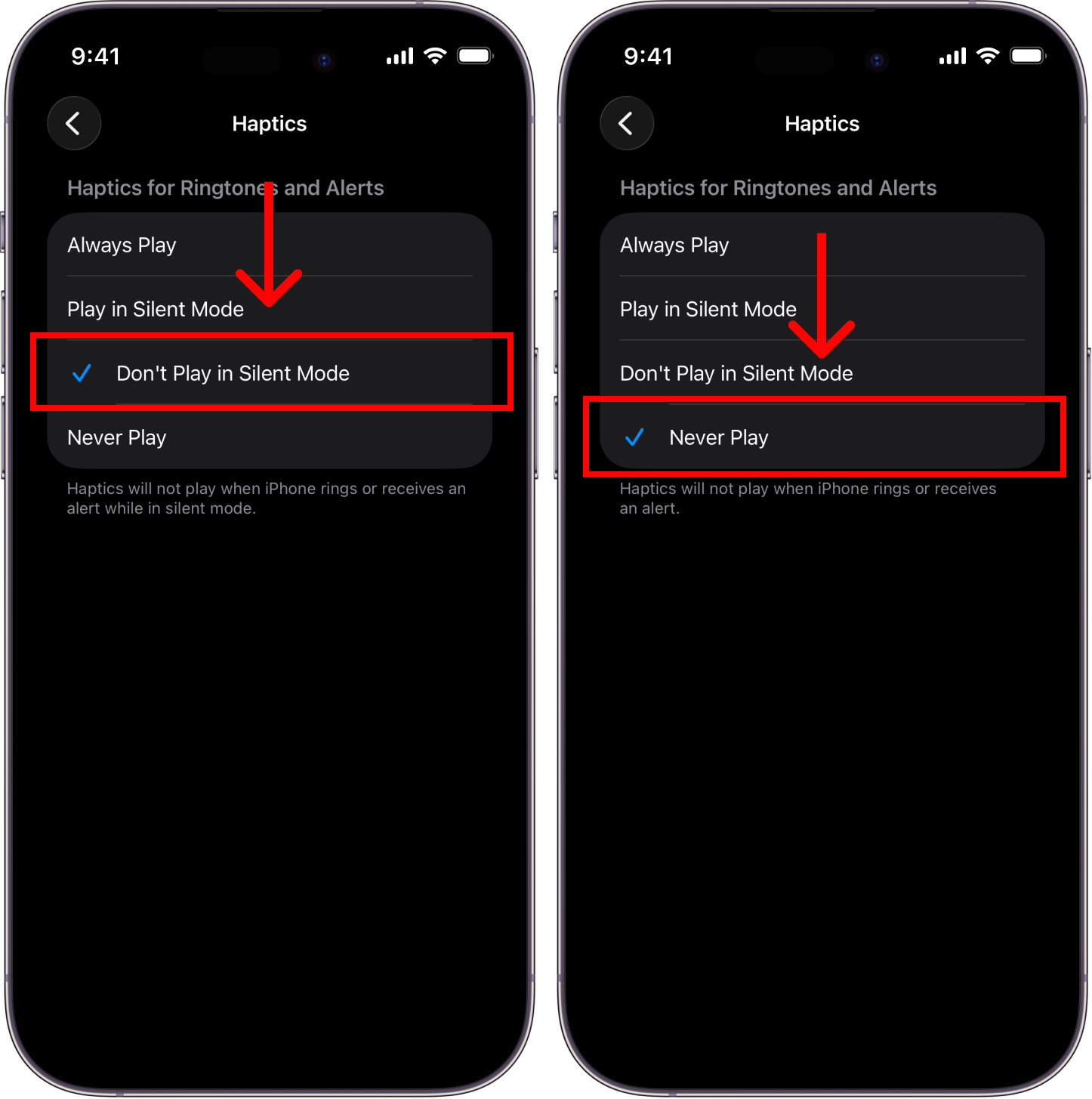
Turn on alarm vibration
Set this up if you want your alarms to vibrate in the morning.
Step 1: Go to Settings > Sounds & Haptics > Haptics.
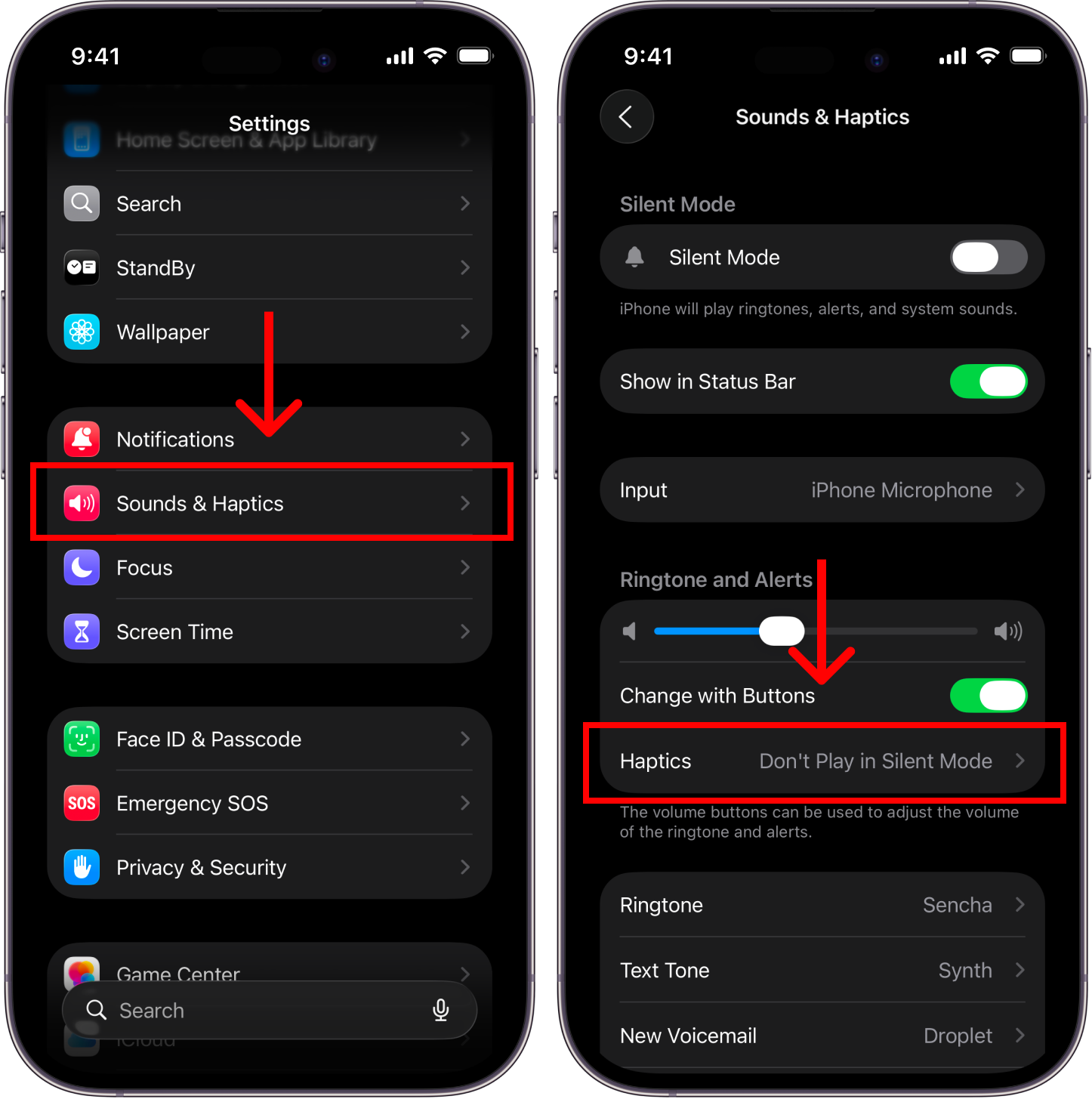
Step 2: Choose either Play in silent mode or Always play.